Orderfy Prep WMS
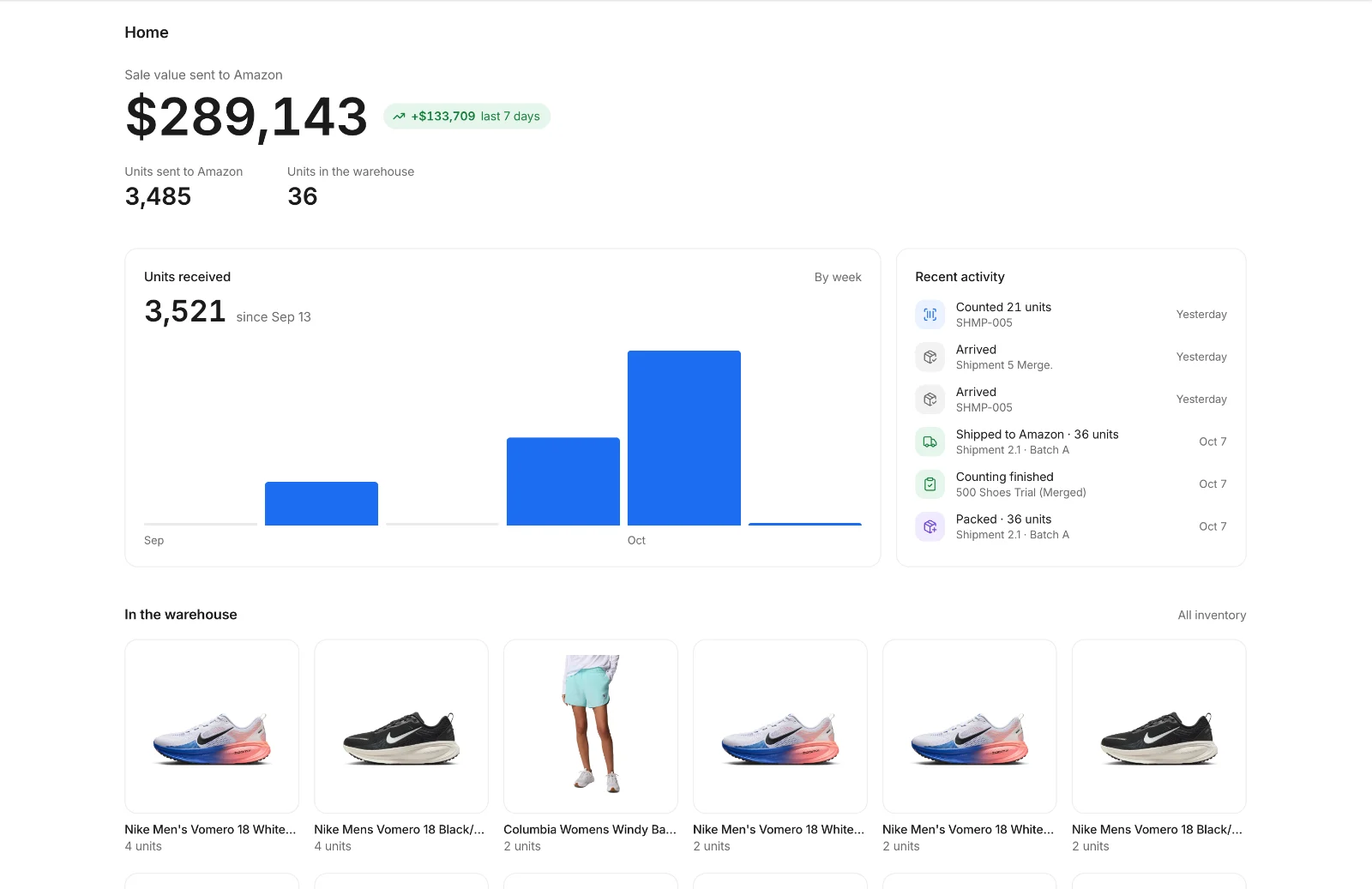
The Orderfy Prep WMS tracks every unit from the day your supplier ships it to the day it reaches Amazon. Follow shipments, check counts and condition, see photos, and change listing prices. It’s included for every Orderfy Prep client at no extra cost.
Shipments
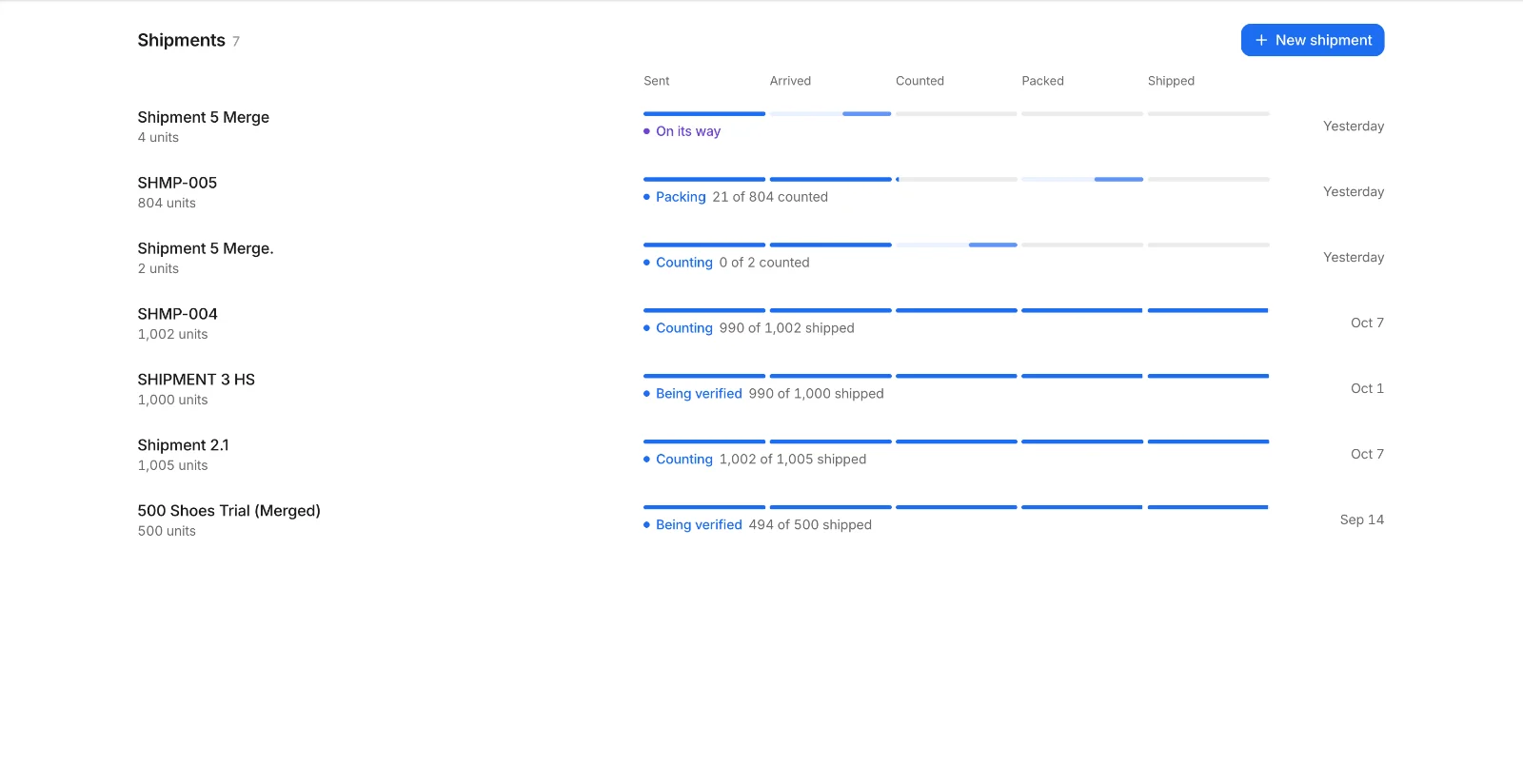
Each inbound shipment moves through five stages: sent, arrived, counted, packed and shipped. You see which stage every shipment is in and how many units are done, without emailing anyone.
Count sheet
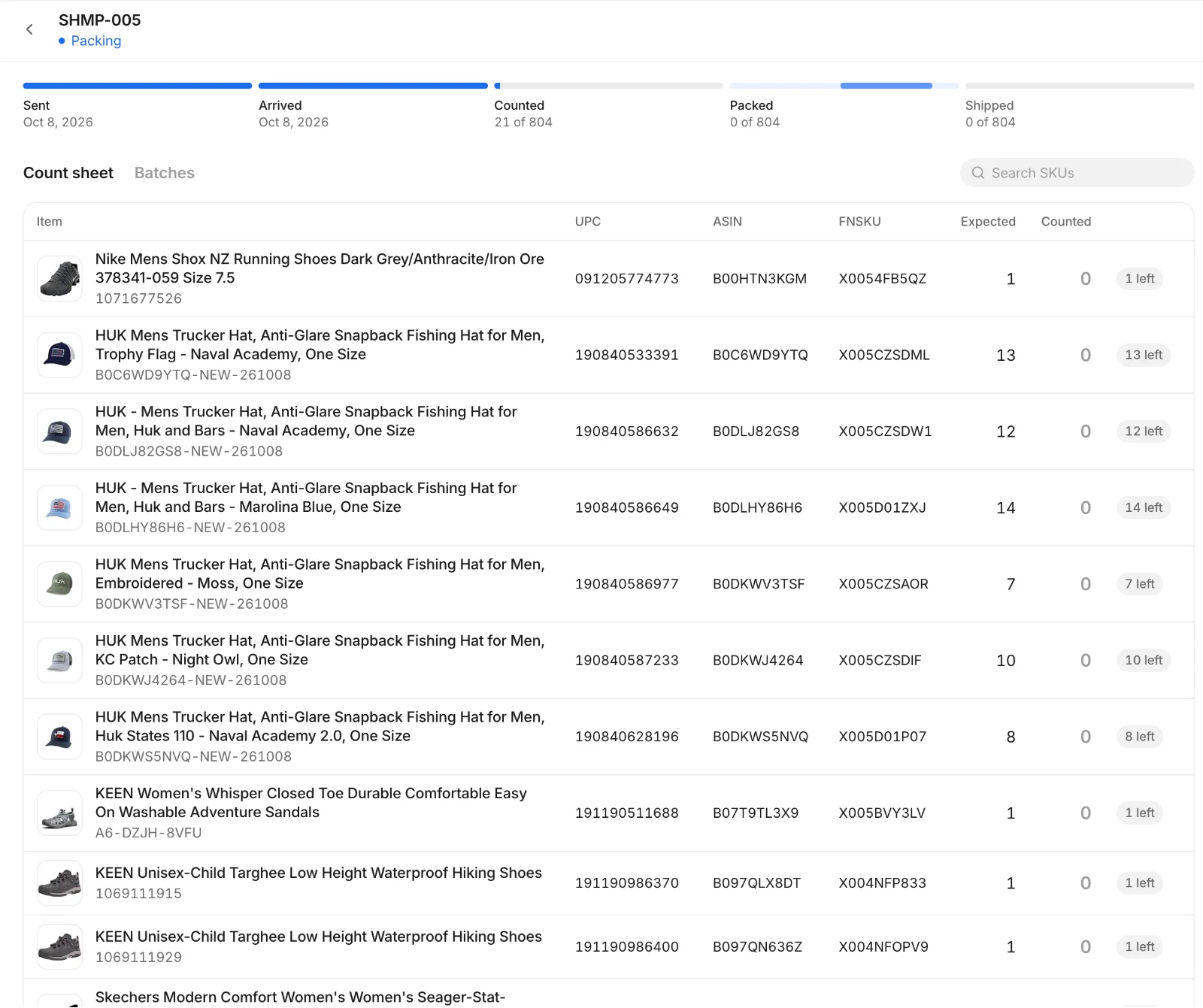
Open a shipment to see its count sheet: every SKU with its UPC, ASIN and FNSKU, how many units you sent and how many we’ve counted. Large shipments are split into batches, so you can see what’s packed and what’s still in progress.
Inventory
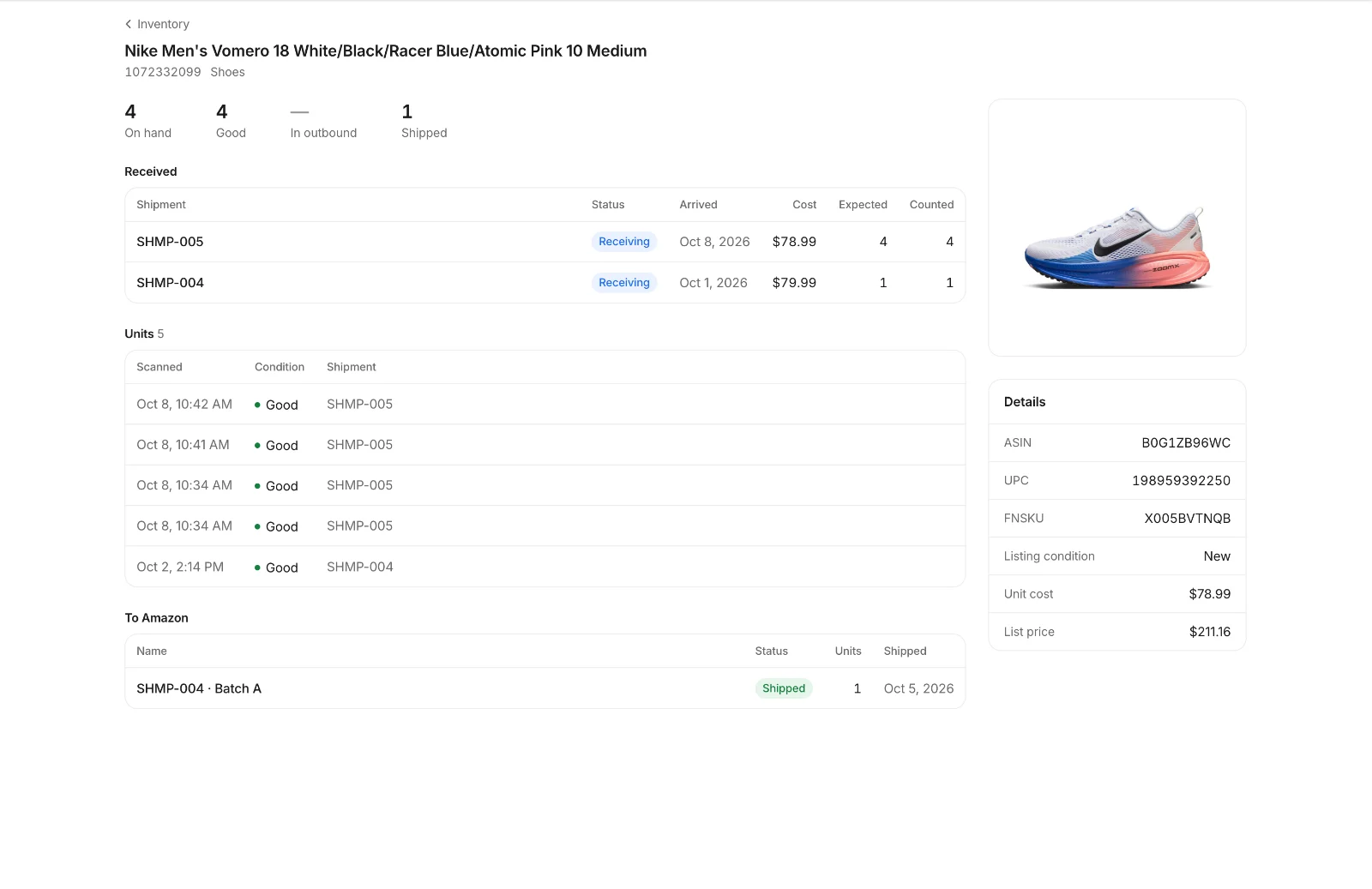
Each product page shows units on hand and their condition, when each unit was scanned, which shipments it arrived in and what was sent to Amazon, along with its ASIN, UPC, FNSKU, unit cost and list price. Change the list price here and it updates on your Amazon listing.
Photos
Every delivery is photographed when we receive it, and outbound cartons and pallets are photographed before pickup. The photos are attached to the shipment in the WMS, so you have evidence ready for carrier claims, supplier shortages and Amazon reimbursement cases.
Many Orderfy Prep clients used InventoryLab or Boxem mainly to build shipments, print labels and track inventory. Our team now builds the shipments, and the WMS covers the tracking. If you rely on the tools below marked “Not included,” keep them for those jobs. Compare in detail: InventoryLab or Boxem.
It’s included at no extra cost for every Orderfy Prep client.
Yes. Change a product’s list price in the WMS and it updates on your Amazon listing. It’s a manual change, not an automatic repricer.
For sellers who used those tools to build FBA shipments, print labels and track inventory and cost, often yes, because our team builds the shipments and you track everything in the WMS. It doesn’t include settlement-based profit reports, scouting or automatic repricing.
Yes. Every delivery is photographed when we receive it, and outbound cartons and pallets are photographed before pickup. The photos are attached to the shipment in the WMS.
Create an inbound shipment in the WMS and upload a buy list: a CSV with UPC, title and quantity for each item. Then have your supplier ship to our Garland, Texas warehouse.
We work with Amazon sellers moving 5,000+ units a month. Book a call and we’ll walk you through the WMS, then quote your prep per unit.