

How do I create an inbound shipment in Orderfy?
Before you begin
Two things have to be in place before the warehouse can receive your shipment.
- Create the listings in Amazon Seller Central first. We label and ship against your listings, so if an item has no active listing when your inventory arrives, it sits in receiving until you create one.
- Prepare your buy list as a CSV. Required columns are UPC, title and quantity. SKU, cost, condition and Shipment_ID are optional.
Create the shipment
Sign in to Orderfy Prep at prep.orderfyfulfillment.com and open the Inbound tab.
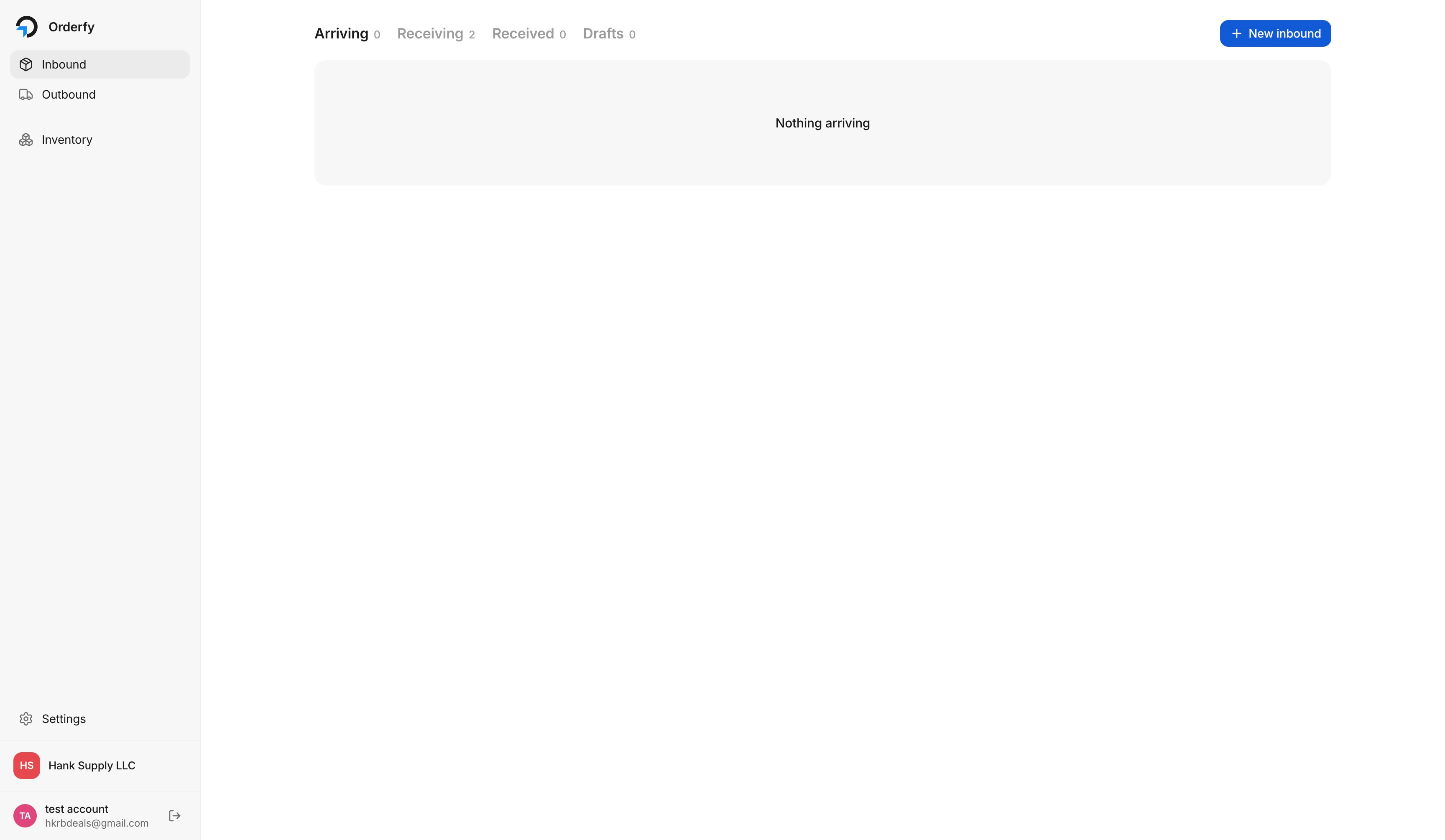
Click New inbound.
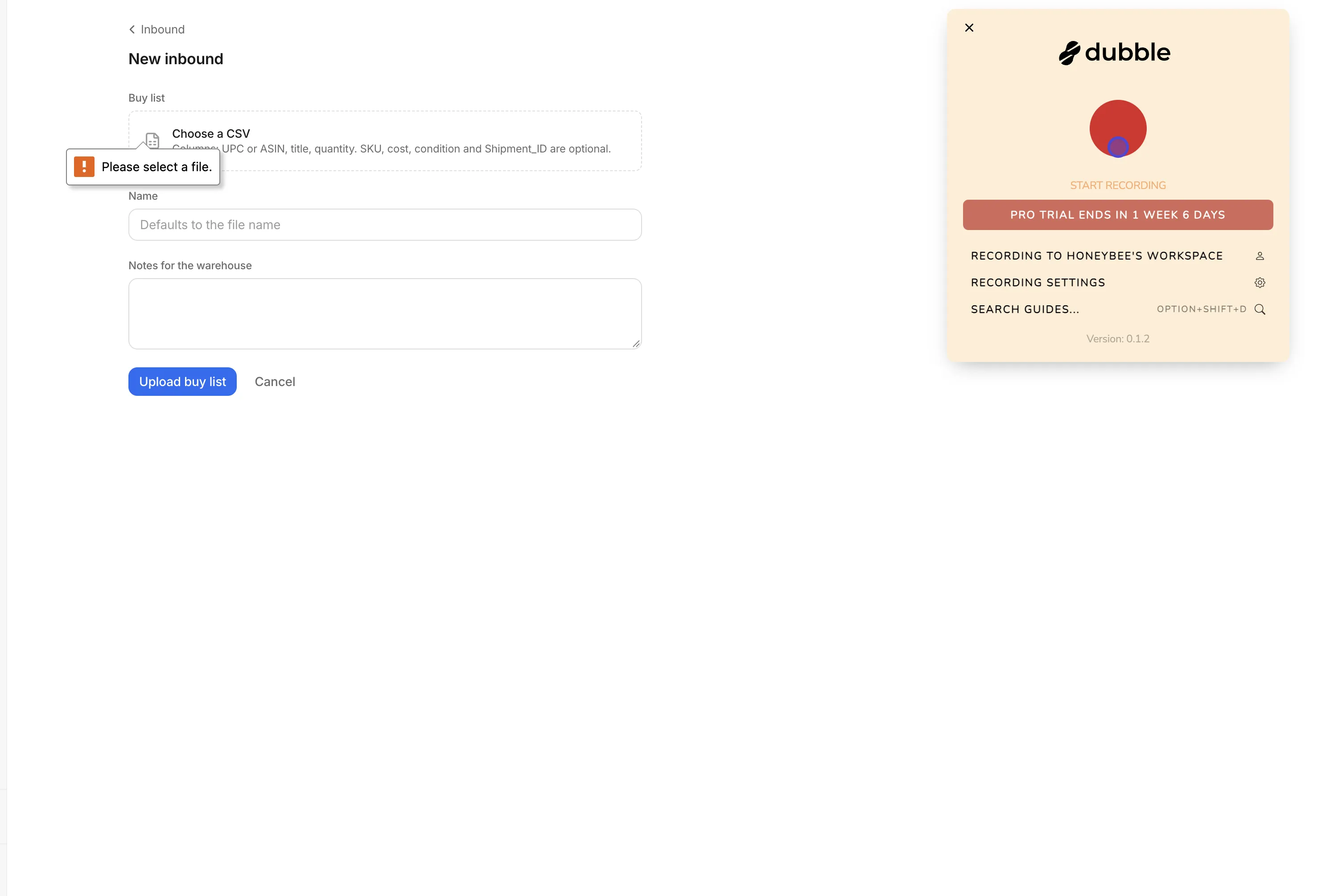
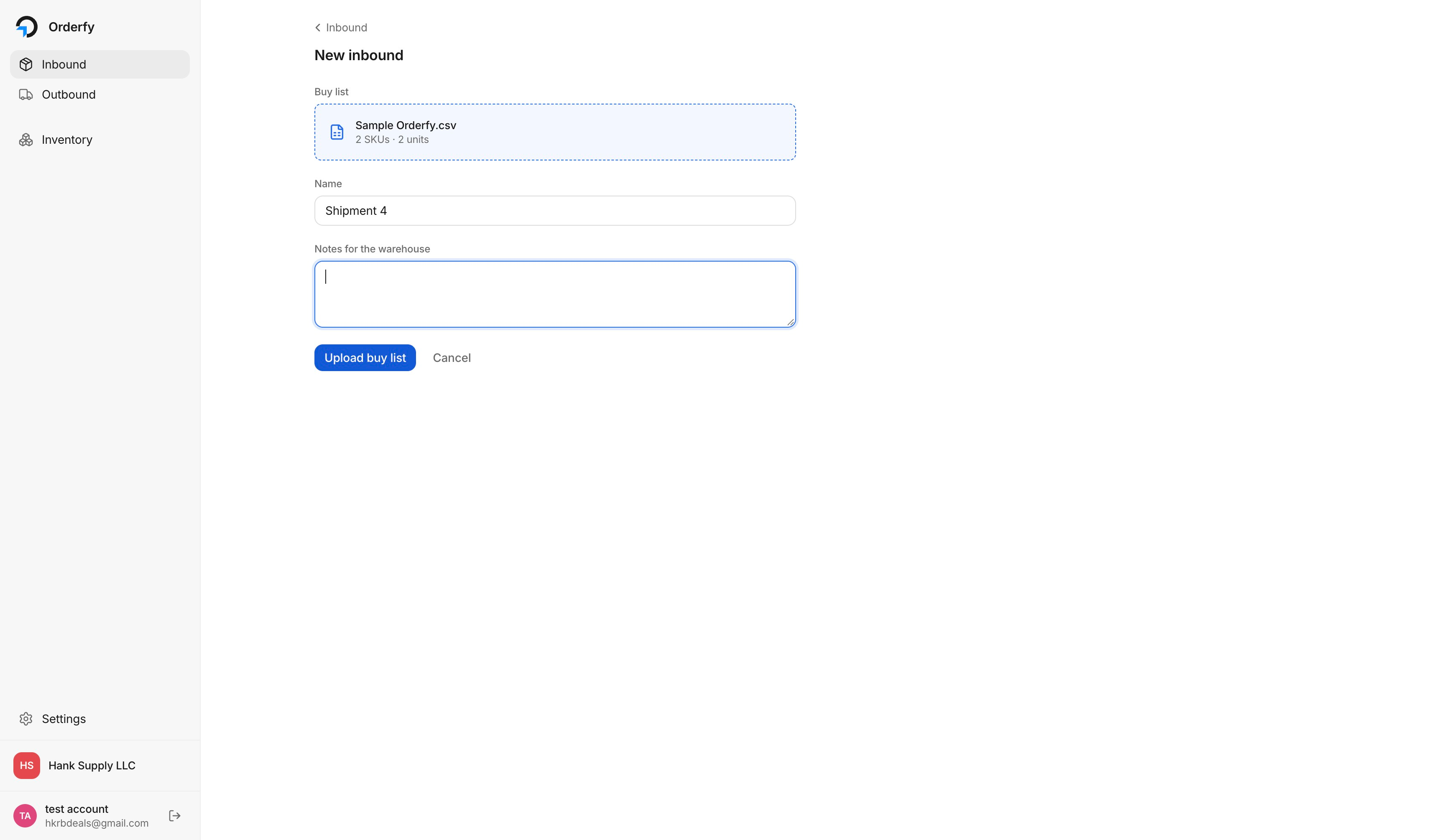
Click Choose a CSV and select your buy list file.
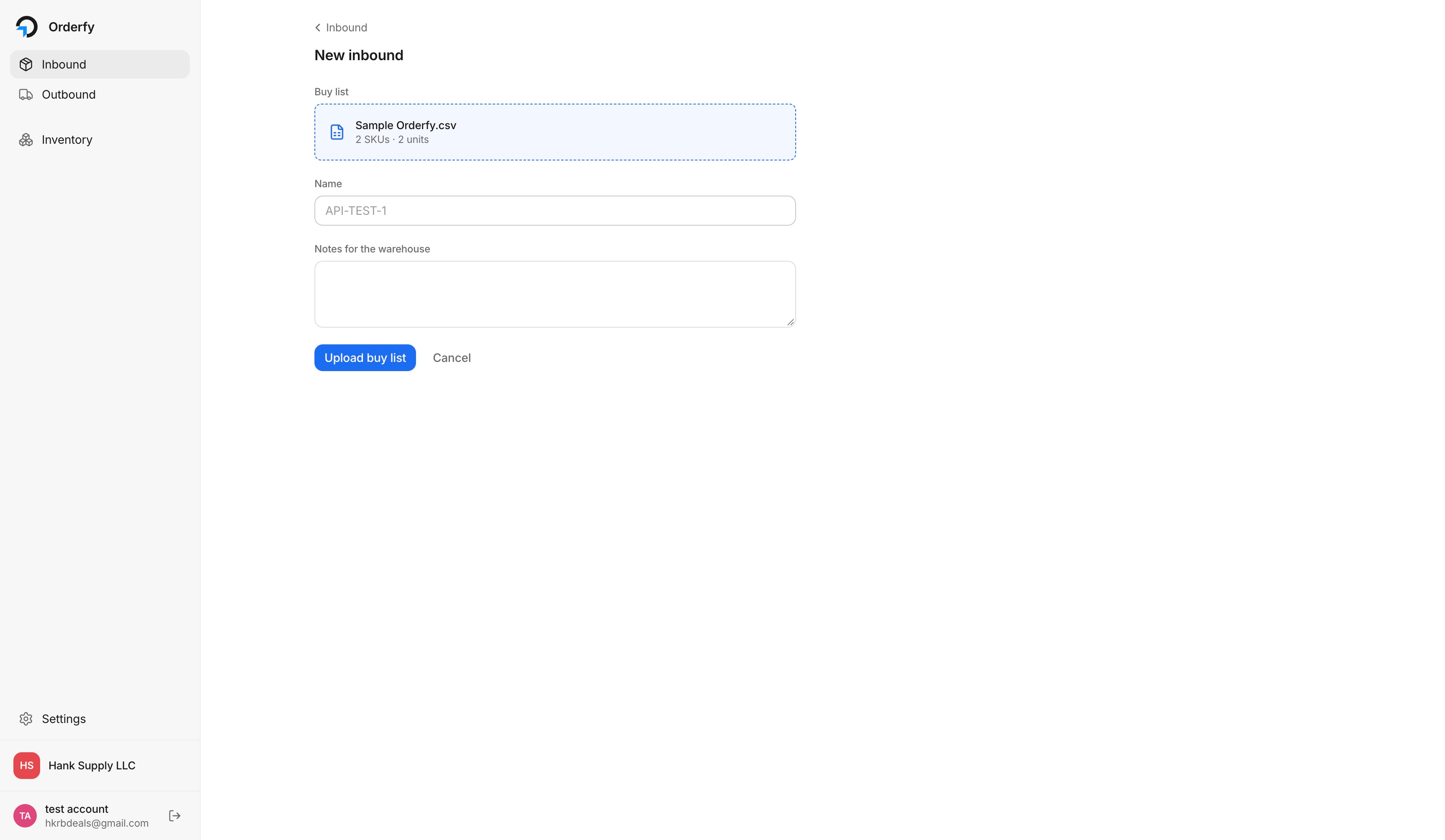 If a row is missing a UPC, fix it in the CSV and re-upload rather than sending it through. It saves a receiving hold later.
Give the shipment a Name you will recognize later, such as
Nov Restock - Footwear. If you leave it blank, it defaults to the file name.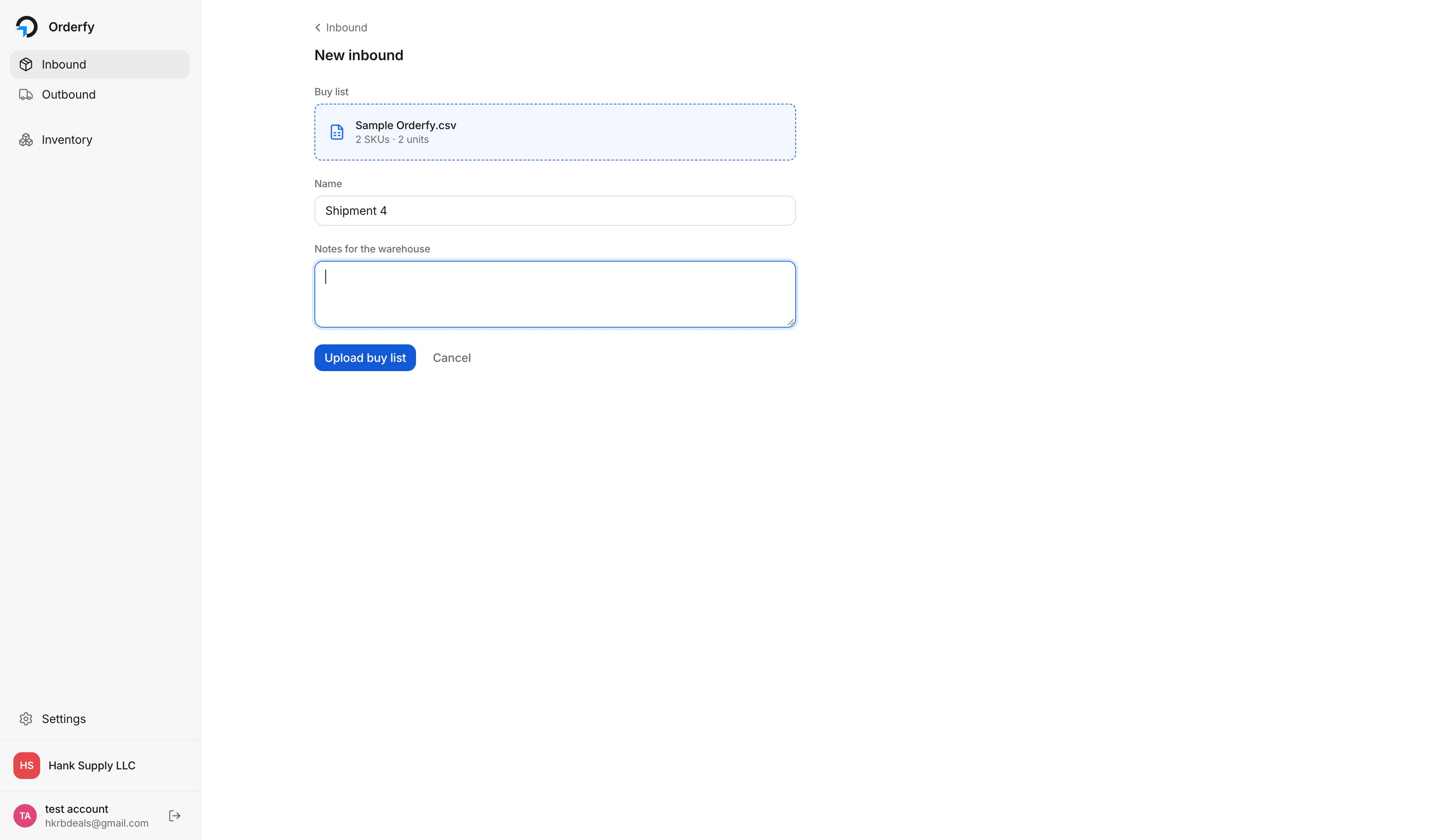
Add anything the floor needs to know in Notes for the warehouse, then click Upload buy list.
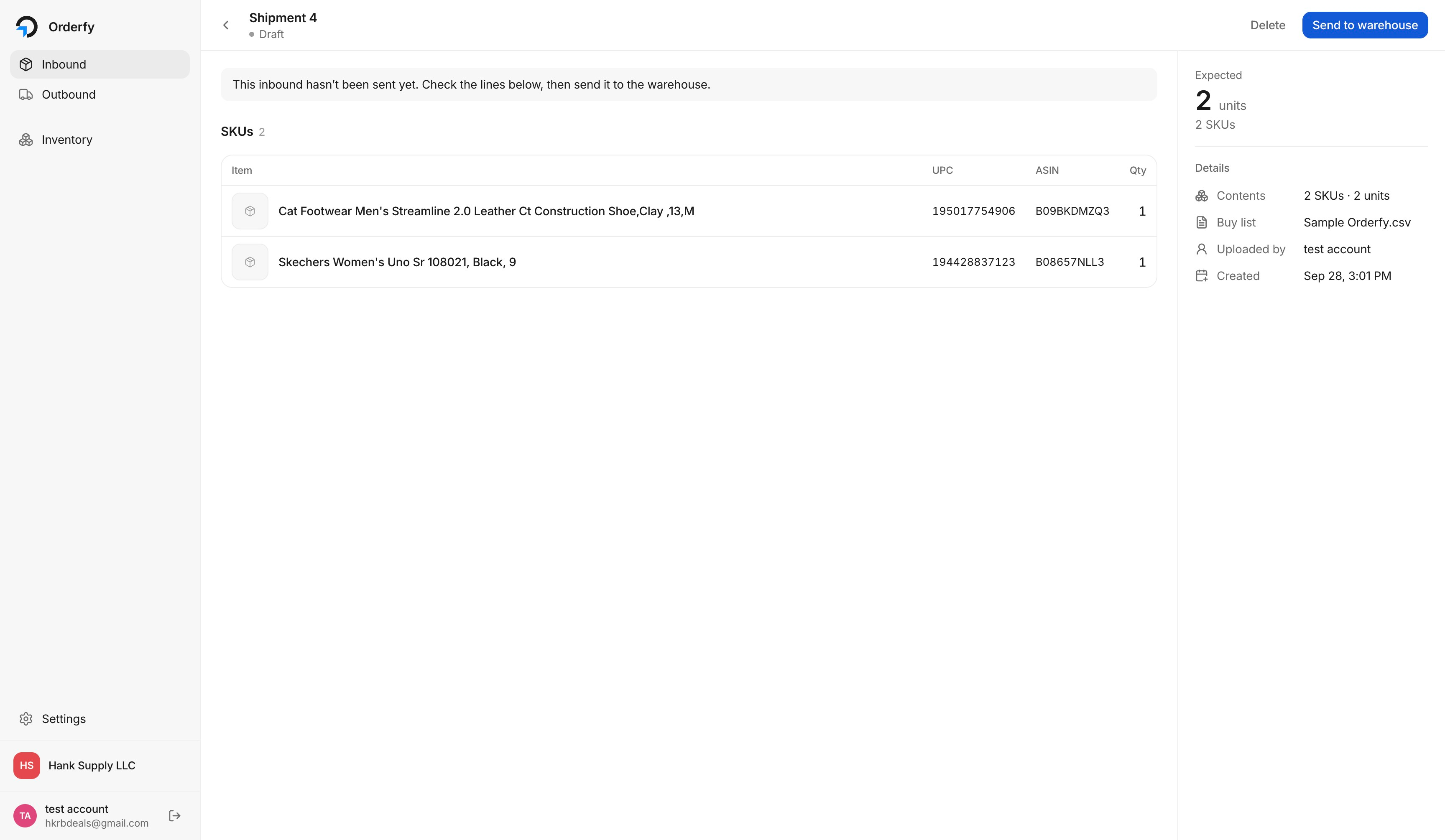
Review the SKUs and unit counts that were read from your file, then click Send to warehouse.
What happens next
Once you send it, the shipment moves to Arriving and the warehouse can see it on their inbound queue. The detail view shows every SKU with its UPC, ASIN and FNSKU, the expected unit count, and which buy list the shipment came from.

Ship your inventory to the warehouse address on your account. When the boxes arrive we scan each item against this shipment, and anything that does not match what you sent shows up as a discrepancy so you can resolve it before the units go out.
Common questions
What if I need to change a shipment after sending it?
Open the shipment from the Inbound tab and edit it before your inventory physically arrives. If the boxes are already at the warehouse, email info@orderfyfulfillment.com so we can update it on the receiving side.
Can I send one shipment covering several Amazon shipment IDs?
Yes. Add a Shipment_ID column to your buy list and we will keep the groupings when we prep and ship the units on.
Do I need a separate shipment per box?
No. One inbound shipment can cover as many boxes as you are sending. The unit counts are what we receive against, not the box count.